
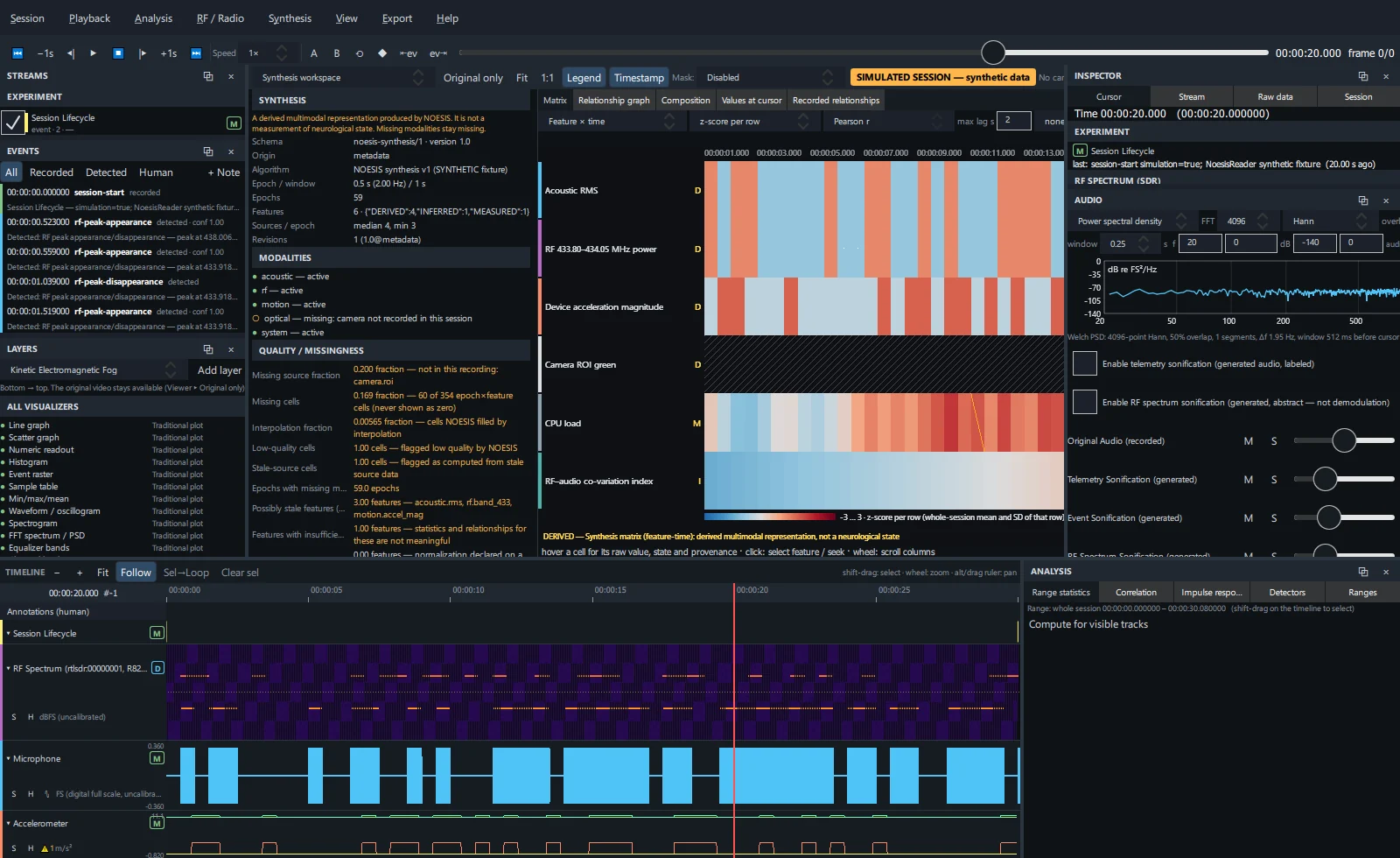
Open the workspace#
Press Ctrl+Y, choose Synthesis → Synthesis workspace, or pick it in the view selector. Recordings without Synthesis open on the Composition tab, which works with any stream.
Sidebar#
Manifest Schema, epochs, features
Schema and version, origin, algorithm, epoch length and rate, window, epoch count, feature count by class, contributing sources per epoch (median and minimum) and revisions.
Modalities
Each modality (acoustic, optical, motion, RF, system…) with ● active or ○ missing and the reason, for example camera not recorded in this session.
Quality / missingness
Missing source fraction, missing cells, interpolation fraction, low-quality and stale-source cells, epochs with missing modalities, possibly stale features, features with insufficient data and normalization notes. Warnings are amber.
Feature explorer
- Search by ID, name or unit, or filter by group.
- Each row shows the class badge, name, group, warnings, the value at the cursor (or not recorded at cursor), its state and its ID.
- Click a feature to select it (it also becomes the selected stream for the Inspector).
Feature details & lineage
Identifier, name, group and unit, classification, algorithm, window, normalization, presence (present / epochs, interpolated, stale, low quality), sources, description and quality.
The lineage tree runs from the visual element through the feature and its transformation to the parent streams and the recorded data. Click an entry to select that stream. Show as timeline track adds the feature to the timeline.
Matrix#
| Control | Options |
|---|---|
| Matrix | Feature × time, Feature × feature, Modality × modality, RF band × feature, Trial × feature |
| Normalization (time / trial matrices) | z-score per row, min–max per row, raw (each row its own colour scale), raw on one shared scale. A shared scale is refused when rows have different units. |
| Metric (relationship matrices) | Pearson r, Spearman ρ, lagged correlation, coherence, event coincidence |
| max lag s / pre/post s | Lag search range, or the trial window in Trial × feature |
| Sort | none, name, group, mean, variance, missing, cluster (average-linkage) |
| + RF bands | Adds RF band tracks as rows |
| Trial events | Trial × feature: the event stream that defines trials |
| |value| ≥ | Hides weaker cells |
| zoom | Column zoom (scroll columns with the mouse wheel) |
- Hover a cell for its raw value, state and provenance. Click to select the feature and seek to that time.
- Missing cells are hatched, never coloured as zero. Relationships need at least 20 overlapping pairs; inadequate overlap is reported.
- The amber line above the matrix lists the warnings for the current settings.
Relationship graph#
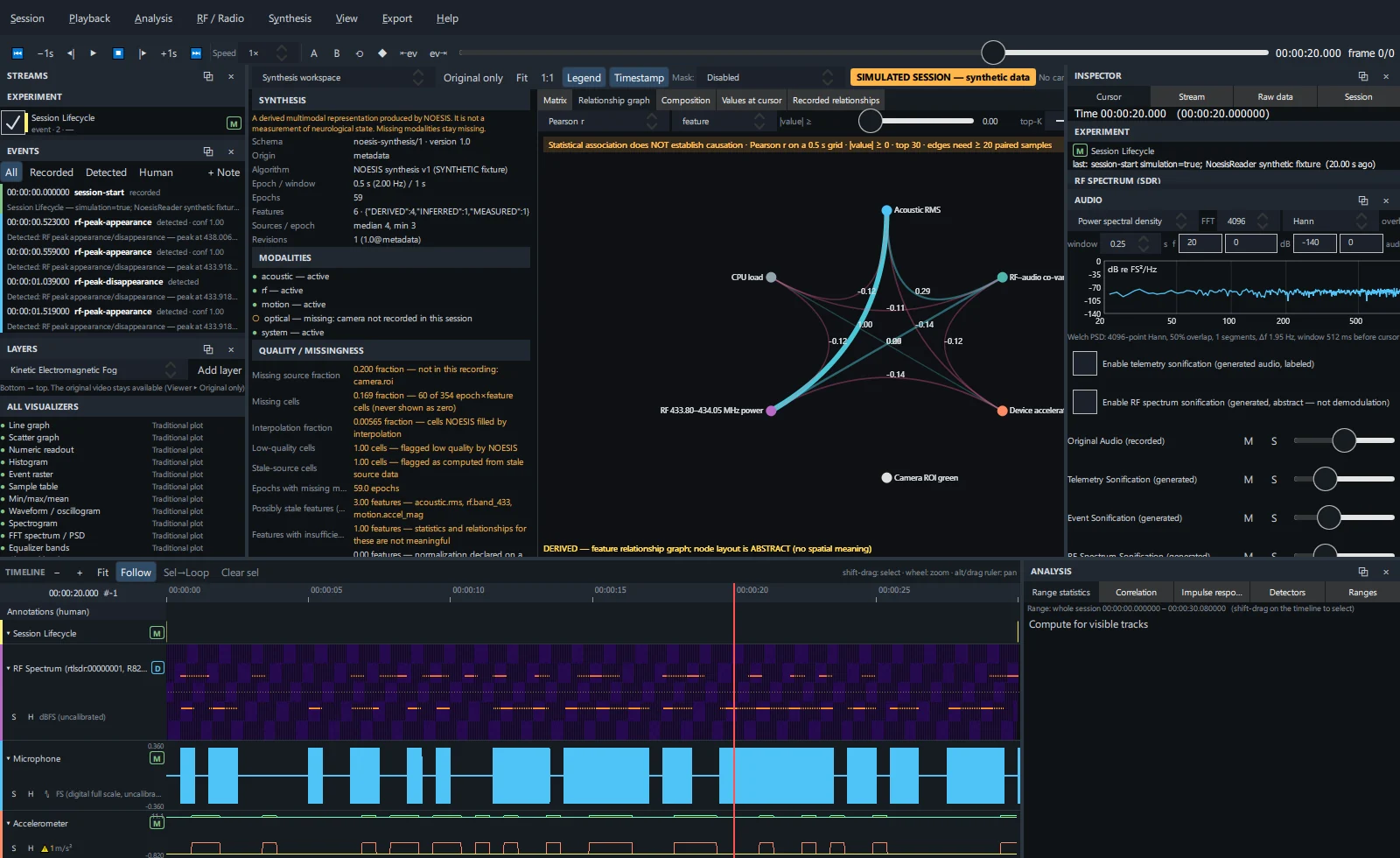
Nodes are features or modalities (feature / modality); edges are relationships above the |value| threshold, limited to the top-K strongest. Choose the metric and include RF bands as for the matrix. The list on the right shows edges strongest first with value, pair, n and lag. Click a node to select it.
Composition tab#
The full composition builder inside the workspace. See Compositions.
Values at cursor#
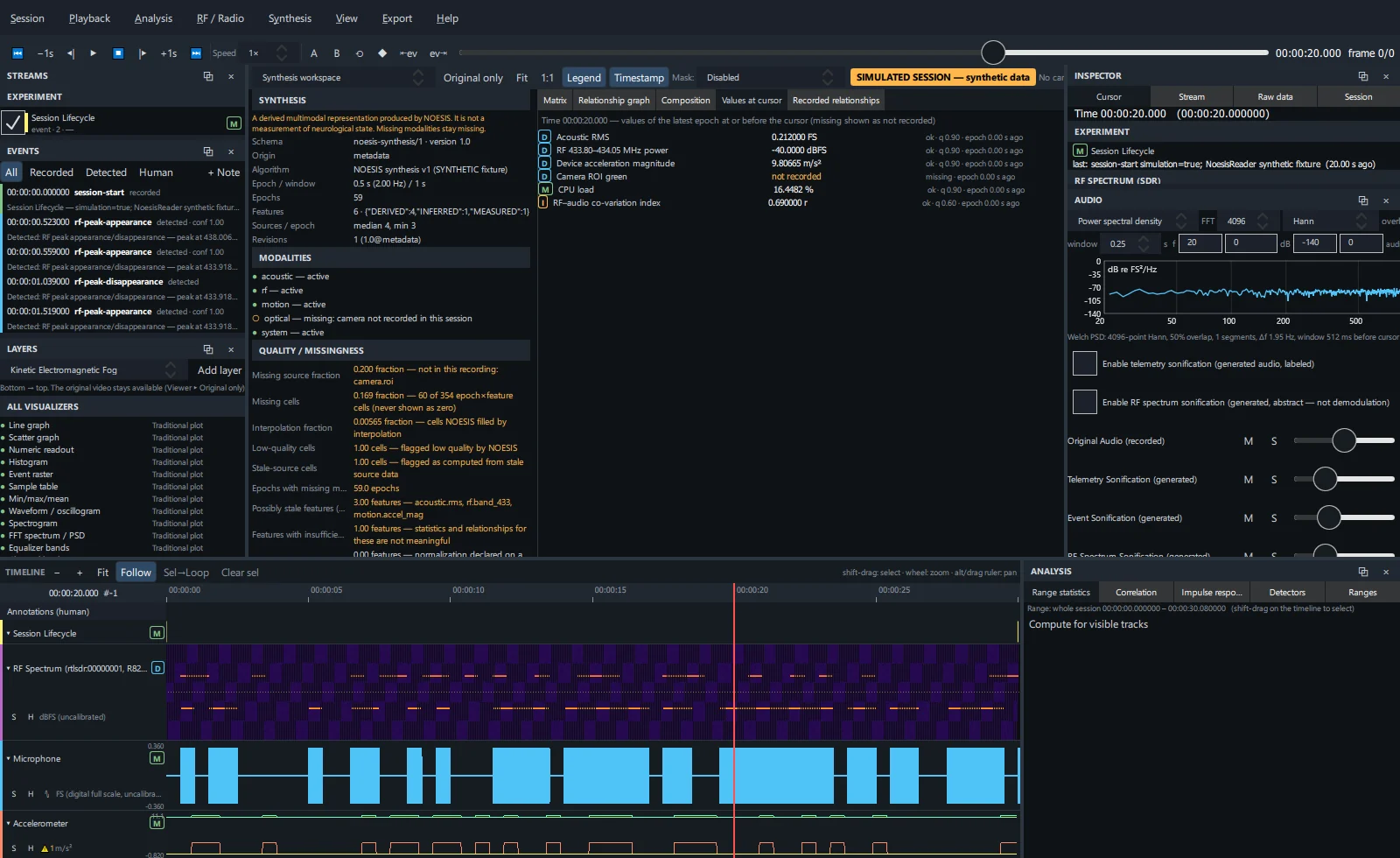
Every feature's value in the latest epoch at or before the cursor with class, state, quality, uncertainty and the epoch's age. Missing values read not recorded.
Recorded relationships#
Relationships that NOESIS itself computed and recorded (time, pair, metric, value, lag, n), exactly as recorded.
Synthesis exports#
Synthesis matrix (CSV, current settings), manifest + lineage + quality (JSON) and relationship matrix (CSV). See Export and Synthesis CLI.