
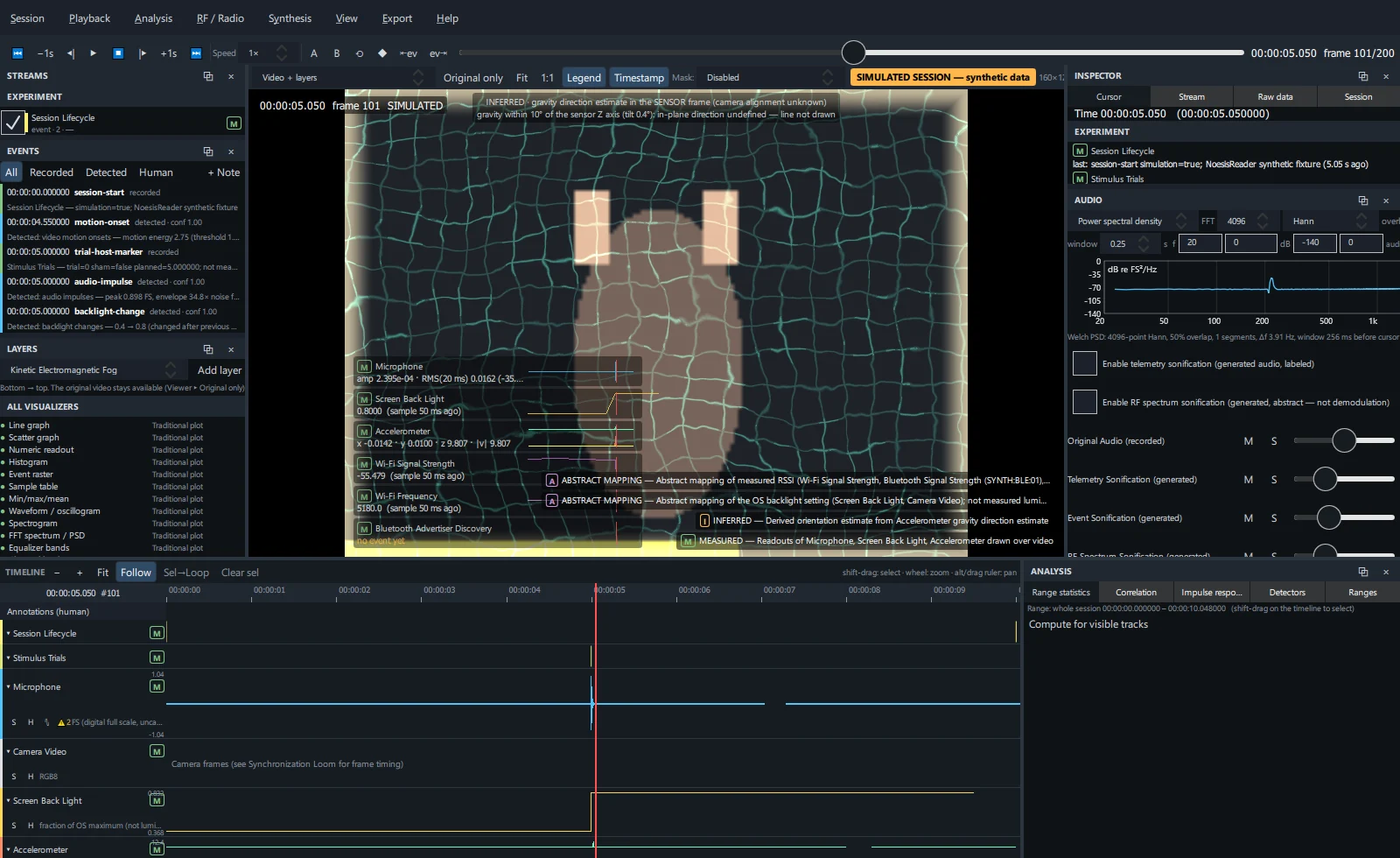
Viewer toolbar#
| Control | Action |
|---|---|
| View selector | Video + layers, Fullscreen visualization, the six analytical views, Spectrum / PSD, Histogram, RF / Radio workspace, Synthesis workspace, Composition. |
| Original only | Shows the recorded video with no overlay at all. |
| Fit / 1:1 | Fit the video to the viewer / show native pixel size. |
| Legend | Show the provenance legend of active layers (bottom right). |
| Timestamp | Burned-in timecode and frame number (also used by exports). |
| Mask | Subject mask provider used by mask-aware layers: Disabled, Manual region (a fixed human-specified region) or Background difference (CV) (pixels differing from the median background; assumes a static camera). |
| Right side | Video resolution, frame index and frame time, and the SIMULATED badge for simulated sessions. |
Hold Ctrl and scroll to zoom the video (up to 16×); drag to pan while zoomed. Sessions without camera video render layers on a neutral stage.
Add and configure layers#
In the Layers panel, choose a layer type in the drop-down and click Add layer.
Tick the layer's checkbox to enable it. Unavailable layers explain which recorded data they need.
Set opacity, blend (normal, add, screen) and display mode:
- Overlay — drawn over the video;
- Dock beside — in a column beside the video;
- Window — in its own window;
- Fullscreen — shown in the Fullscreen visualization view.
Adjust numeric parameters with the sliders under the layer (for example particle count, RSSI thresholds, wrap width, gain).
Reorder with ▲ / ▼ (the list is bottom → top) and remove with ✕. The layer stack is saved in the project.
Layer types#
| Layer | Class | Driven by |
|---|---|---|
| Kinetic Electromagnetic Fog | ABSTRACT | Measured Wi-Fi / Bluetooth RSSI → field coherence, particle density and opacity; Wi-Fi band → palette and geometry; BLE discovery → rings. Bends around the subject mask when one is available. |
| Backlight Aura | ABSTRACT | OS backlight level → aura opacity and light-wrap width around the frame or subject. |
| Inertial Mass-Warp | ABSTRACT | Accelerometer magnitude and axes → frame displacement, compression and radial warp; jerk → edge tearing. Applied as a post-effect to the layers below it. |
| Digital Plumb Line | INFERRED | Gravity direction estimated from low-pass accelerometer data. Hidden when the tilt is under 10°. |
| Telemetry HUD | MEASURED | Numeric readouts and sparklines of recorded streams. |
| RF readout HUD (SDR) | DERIVED | Power at the selected frequency and its acquisition age, strongest peak, band metrics. |
| Synthesis feature HUD | DERIVED | Selected Synthesis feature values with class and state. |
What drove this? — the provenance popup#
Click any entry in the legend to open its provenance popup:
- the layer's class and description;
- Data → visual mapping — each input and the visual property it controls;
- Source streams — click one to inspect it;
- Driving values at cursor — the exact numbers driving the layer now.
All visualizers list#
At the bottom of the Layers panel, All visualizers lists every visualizer: ● available (with its family) or ○ unavailable with the reason. Hover a row for its full description.